Jailbroken Nvidia Shield Home Setup: Entertainment Room
Jailbroken Nvidia Shield Home Setup: Entertainment Room
Welcome to the series, “Jailbroken Nvidia Shield Home Setup: Entertainment Room.” Over the years, we’ve shared tips here and there about what you need for the perfect setup. But now, it’s time to put it all together.
This series will walk you step by step through everything you need to have your home ready to go.
We want you to be able to order your Jailbroken Nvidia Shield Pro, take it out of the box, plug it in, and start streaming right away. But for that to happen, your home has to be set up properly.
And let’s be real, for most of you, it’s not. Don’t worry, that’s not your fault. Technology has moved so fast that it’s hard for the average person to keep up. That’s why we’re here.
Think of us as your home setup experts. So how did this all start?
Back when I had a day job, I overheard a woman complaining about how slow her tech was at home. She went on and on about all the issues she was having. At that time, our team was already active, and I paid close attention to her problems. Fast forward five years, and I know so many people are still dealing with the exact same struggles.
So first up in this series: your entertainment room setup for streaming. I’ve always been the type to take risks and build systems that actually work for people and that’s what we’re going to do here.
We are D3vicx (devices), and we specialize in customizing and sideloading the Nvidia Shield TV Pro 2019 so you can enjoy TV entertainment free. You pay nothing, for the next 3 to 5 years saving you upright to $10,000 a year in TV entertainment worldwide.
Let’s get right into this one, it’s going to be fun.
Shop Now > Discord >
Why Your Room Layout Matters
Why does your room layout matter? Because of WiFi. Most people don’t realize that not all WiFi is created equal. Take WiFi 2.4GHz. You might be thinking, “That’s old, no one uses it anymore.”
Big mistake. WiFi 2.4GHz is actually the most stable of them all. It travels farther and pushes through walls and objects better than WiFi 5. WiFi 5 slows down when moving through walls and can even stop completely when hitting certain obstacles.
Think about your kitchen.
If you’ve got a room that relies on WiFi but your kitchen is in the way, you’ve probably noticed the signal gets weaker there. The appliances and walls in your kitchen are part of the problem but WiFi 5 itself is the bigger issue.
That’s where WiFi 2.4GHz shines. Yes, it’s slower, but it’s much stronger and more stable. And that means less buffering and fewer headaches when you’re streaming.
The Router’s Role in Streaming Stability
When it comes to your entertainment room, place your modem and router in the same room if possible. And listen, do not tuck these devices in a corner or hide them in a cabinet. They need room to breathe to function properly.
Dust builds up fast, and these devices are on 24/7. Keep them out in the open, clean, and ventilated so they can keep running at their best.
Why keep them close? Because when you’re running a Jailbroken Nvidia Shield Pro, you want the strongest connection possible. And that comes from plugging an ethernet cable directly into the device.
Ask yourself: how badly do you want your show or game to buffer right in the middle of it? Probably never. That’s why ethernet is your best friend.
Avoid WiFi Distance & Wall Loss
WiFi is fine for phones and laptops. But for serious streaming, especially on a powerful device running sideloaded APKs you need raw power.
Imagine this: it’s game night. Everyone in your building is online, all sipping from the same cup with straws. You don’t want the same tiny straw as everyone else you want the biggest straw possible.
That’s ethernet.
If you absolutely must use WiFi, go with 2.4GHz. Not WiFi 6 or WiFi 7. They’re not needed here. In fact, they often make things worse.
Here’s why: the Nvidia Shield TV Pro was designed in early 2019 and launched in fall 2019. At that time, WiFi 6 wasn’t even standard yet, let alone WiFi 7.
Most of your devices today probably aren’t even running WiFi 6, 6E, or 7. And the higher you go in WiFi versions, the shorter the range gets. Even shorter than WiFi 5.
Shop Now > Discord >
Positioning the TV & Devices
Place your TV somewhere you can easily get behind it. A lot of people like to mount their TV on the wall and that’s fine, just hire a professional to do it right. Some even add a white box behind the TV where the power outlet sits to hide cables.
But don’t stick your Jailbroken Nvidia Shield Pro inside one of those. Instead, try a floating shelf or a TV stand.
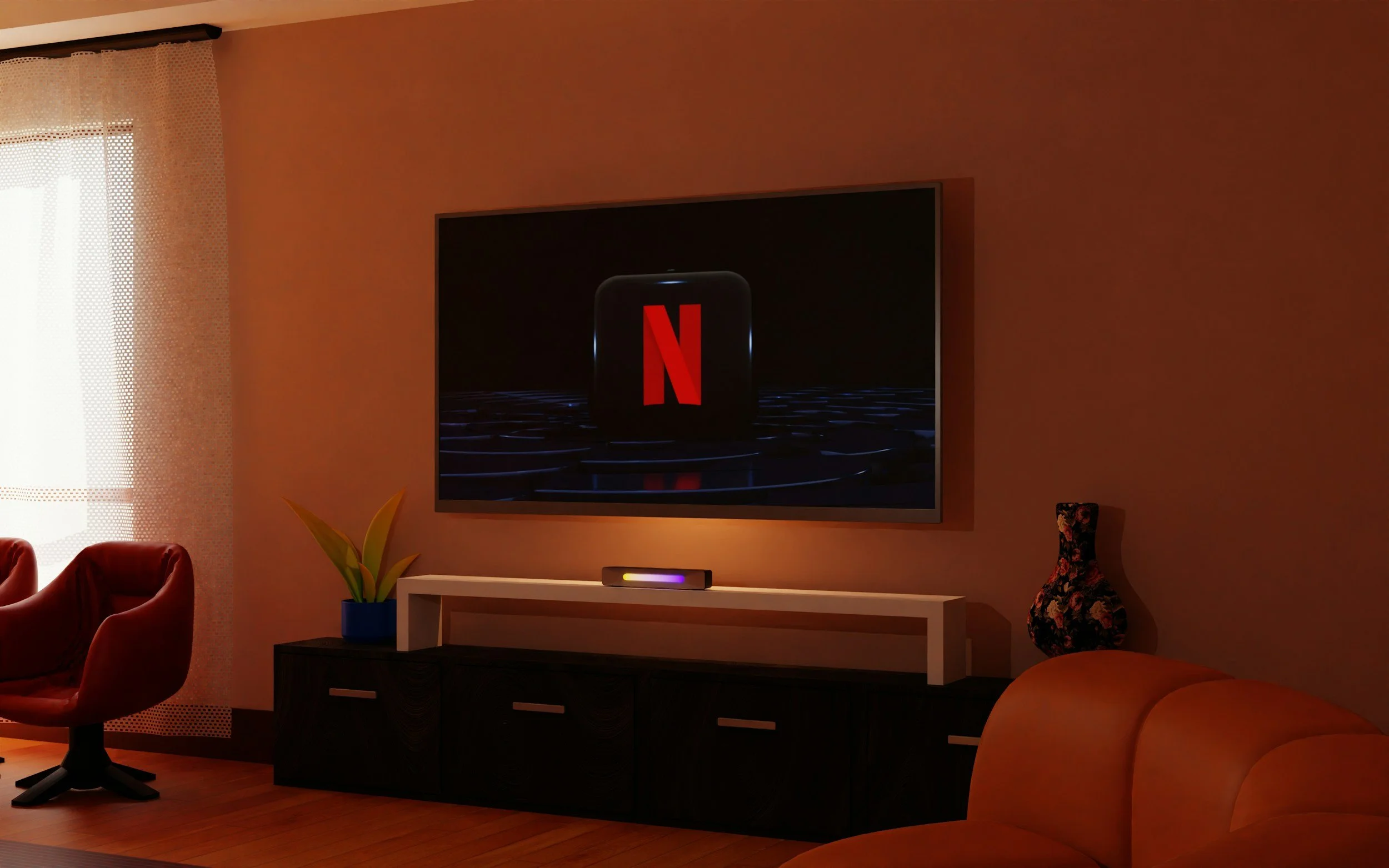
If you’re like us at the office, the TV sits on a stand. Next to it, on a small table at the same height, are the modem and router. The Nvidia Shield Pro lives right under the TV, out in the open, with an ethernet cable running straight in.
The key is airflow. All your devices the TV, Shield, router, and modem need to breathe. Don’t tuck them away in closed cabinets. Hide the cables, sure, but let the equipment itself stay in the open so it stays cool and works at its best.
Shop Now > Discord >
Ethernet Over WiFi: Your Lifeline
Ethernet over WiFi, this is a good one. Let me ask you something: how young are you? Yes, you, the one reading this right now. Do you even remember when every computer in the house had a cable plugged into it? Or when the internet was hooked up to your phone line, and you had to listen to that dial-up screech before you could go online?
Not like today.
WiFi changed the game and made getting online so much easier. I’m young enough to have seen both sides, the dial-up days, the WiFi days, and now even mesh networks.
And while WiFi is convenient, it’s not always reliable when it comes to streaming. That’s why your Jailbroken Nvidia Shield Pro deserves an ethernet line whenever possible.
Why WiFi Alone Fails (Buffering)
WiFi was once the hottest thing since sliced bread. But today? It’s the source of a lot of “Why is this buffering?” moments.
Here’s the deal: your Jailbroken Nvidia Shield Pro might not just buffer because of the app you’re using. It could be your WiFi cutting out for a second. You’ll notice it not just on your Jailbroken Nvidia Shield Pro, but also on your phone or laptop. A pause, or a hiccup, then everything comes back.
This happens a lot with WiFi 5, because every device in your home is crowding the same lane.
And if you’re still using the router your internet service provider (ISP) gave you, it’s even worse. Those ISP-branded routers are cheap, mass-produced, and they tack on a rental fee to your bill, I’m talking usually $10 to $15 a month. Multiply that over a couple years, and you’ve paid for junk gear three times over.
Want stronger WiFi?
Buy your own router. And, if your house is big or has lots of devices, grab a mesh system like Plume pods. It’s 2025, you’ve probably got more than five devices hitting your network daily.
Plume pods acts as little satellite dishes around your home, equally distributing WiFi. These Plume pods, also help strengthen your WiFi 5 connection.
Running an Ethernet Cable Cleanly
Now, let’s talk ethernet. It’s not old school, it’s your Jailbroken Nvidia Shield Pro’s lifeline. An ethernet cable is just a copper line wrapped in shielding that keeps the signal clean. Back in the day, they were mostly blue. Now you’ll see black, white, or yellow cables too.
Here’s the beauty: if you’re in an apartment like me, you don’t need to go drilling holes in walls. Just run one clean cable from your router to your Nvidia Shield Pro, keep it neat with clips along the wall or baseboard, and you’re good to go.
If you’re a homeowner and want things extra tidy, you can run ethernet through the wall. Flat cables or in-wall-rated ones work best. Some folks even use grommets to make it look like the cable disappears right into the wall.
Either way, the point is the same: ethernet gives you the biggest “straw” to drink from. While everyone else in your building is fighting over WiFi, you’re plugged in and streaming smooth.
Shop Now > Discord >
Add Comfort & Functionality
For me, comfort is simple. At home or in the office, I sit on the floor with a pillow. That’s where I feel relaxed when streaming.
When we throw watch parties at the office, we drop food and popcorn in the middle of the floor on a small rotating table. If someone needs something, they spin the table and grab it, no interruptions. When the night’s done, the table folds away. That’s our idea of functionality: simple, fun, easy to clean up.
For you, comfort might look different. Maybe you want bean bags if you’ve got kids, or recliners if you’re all about kicking back after work. However you set it up, remember: your entertainment room should be a place where you unwind, recharge, and enjoy TV without distractions.
Seating Arrangements & Sightlines
At the office, we circle up around the table. I usually sit off to the side because, let’s be honest, I’m going to fall asleep halfway through the movie.
Sitting on the floor lets you fit more people into the room, but that’s just my style. You might prefer couches, sectionals, or chairs. The key thing is this: make your TV the focus point of the room. Arrange seating so everyone has a clear sightline to the screen without craning their necks.
Bonus: Snack Bar & Ambience Tips
Want to keep the fun going? Set up a dedicated snack area. Nobody likes pausing the movie to run to the kitchen for more popcorn. With a snack bar, refills are quick, and everyone stays in the room, still part of the action.
And trust me, you’ll need it for binge-watch marathons. Think of catching up on Stranger Things before the final season drops. Hours of watching, snacks everywhere, nobody wants to leave the room.
For ambience, I’m a fan of LED backlights behind the TV. It softens the room and draws your attention into the screen without leaving you in pitch black. Add subtle floor or wall lights so kids (and you) can walk around without tripping or ruining the mood by flipping on a big light.
Shop Now > Discord >
Final Checklist Before Your Jailbroken Nvidia Shield Pro Arrives
Here’s a quick checklist so you’re ready the moment your device hits your doorstep:
✅ TV positioned with clear access to cables and ventilation.
✅ Router and modem in the same room (or close by) for direct ethernet.
✅ Ethernet cable ready to plug into your Shield Pro (skip WiFi when possible).
✅ Seating arranged for comfort and clear sightlines to the screen.
✅ Snack bar or table stocked for binge nights and parties.
✅ Ambient lighting (behind TV or along the floor) set up for mood + safety.
✅ Extra outlets or surge protector available for all your gear.
With this checklist done, you’ll be ready to unbox your Jailbroken Nvidia Shield Pro, plug it in, and start streaming with zero stress.
Shop Now > Discord >
❓ FAQ Jailbroken Nvidia Shield Home Setup: Entertainment Room
Here are questions and answers to include at the bottom of that blog so you capture “people also ask” queries and keep them reading:
Q: Do I need a dedicated room for streaming?
A: No, you just need a room where you can control placement of router, TV, and cables effectively. But a dedicated layout helps minimize interference.
Q: How close should the router be to the TV?
A: As close as possible. Ideally, the router is in the same room or just a wall away and connected via ethernet so you don’t rely on WiFi for streaming.
Q: Can I run ethernet cables through walls?
A: Yes. Use flat or in-wall rated ethernet cable. Run it along baseboards or through wall holes with grommets to stay clean and safe.
Q: Will a mesh system help or hurt streaming performance?
A: Mesh helps with general WiFi in the house, but for the main streaming TV you still want direct ethernet. Mesh nodes shouldn’t replace that backbone.
Q: Do I need to hide cables and gear?
A: You should conceal them for aesthetics, but ensure everything is ventilated and easily accessible for maintenance and cleanup.
Shop Now > Discord >
In Conclusion: Jailbroken Nvidia Shield Pro Home Setup: Entertainment Room
“If you're going to let what you do be based upon what you hear & read, you better make certain the people who are giving you the advice are getting PHENOMENAL RESULTS!” — Bob Proctor
Well, phenomenal results are exactly what you’re about to get. By getting your home ready for your brand-new Jailbroken Nvidia Shield Pro, you’re setting yourself up for the best streaming experience possible.
By the end of this series, you’ll be a pro, ready to order your Jailbroken Nvidia Shield Pro (before we run out again) and ready to enjoy it without the usual stress. These little steps add up to something memorable, making your setup one-of-a-kind.
You’re building something with your own hands, learning new tech, and rediscovering old tricks that still work today. The payoff? Saving yourself time and avoiding the headaches that usually come with free streaming.
Now, you understand what’s happening behind the scenes. You’re becoming the go-to person in your family when it comes to setting up entertainment at home. Congratulations—you should feel proud.
Soon, everyone will be coming over to your place for the big events. You’ll be the one hosting, the one leading, the one everyone trusts. In other words: show off and show out.
Go ahead, and order your Jailbroken Nvidia Shield Pro today.
Shop Now > Discord >
Related Post: