Will the New Google Sideload Ban Affect the Nvidia Shield?

Will the new Google sideload ban affect the Nvidia Shield?
I’m going to start this blog off a little different. Welcome to “Will the New Google Sideload Ban Affect the Nvidia Shield?” Yes and No, let me explain. If you already have a Nvidia Shield and it’s sideloaded you are good to go. Just don’t update your device when they start to push for an update.
The update is not needed unless you want to give them full control over your Nvidia Shield. And I know, some people are going to say, “the update is for security.” That is a LIE. These updates haven’t been about patching security in years.
Think about it, streaming devices aren’t computers. They don’t store personal banking info or sensitive files the same way a macOS or PC does.
What they do store is access to your streaming and viewing habits, and that’s what Google are trying to lock down. Which is funny since Google already does this to you and makes money from it.
Malware on sideloaded APKs is different.
Most of it isn’t ransomware or system takeovers, it’s adware and data selling. That’s annoying, yes, but it’s not “your Shield is now bricked by a hacker.” That’s why we already scan our APKs with VirusTotal before loading them. The real risk isn’t the malware, it’s buying the wrong device where Google has control, not you.
This is all really about trying to stop, the term I have now coined, “Streaming Piracy.”
I would like to say, good luck with that problem. You think stopping it on streaming devices is going to really stop it or even slow it down? No. People still have computers and phones. Which all APKs can easily be loaded onto or they can just stream on a website directly.
Hello everyone, we are D3vicx (devices), and we are the experts at customizing and sideloading the Nvidia Shield TV Pro 2019 so you can enjoy TV entertainment worldwide. Let’s get into how we are working on the Nvidia Shield TV Pro 2019 to avoid any future problems once Google start to ban sideloaded APKs.
Shop Now > Discord >
What Is Google’s New Sideload Ban?
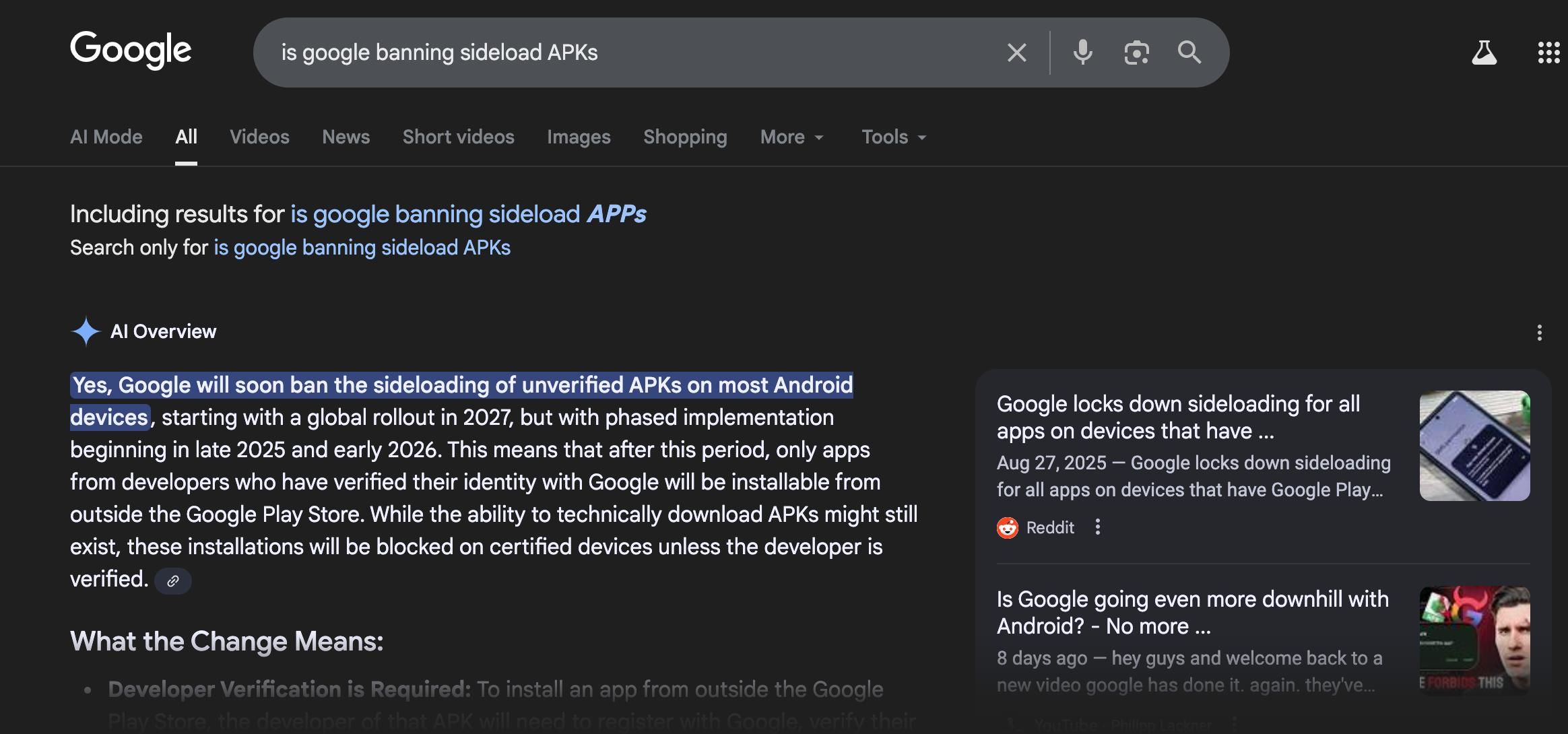
Open-source, no longer open, what?
Google is rolling out a developer identity verification program. The APK (app) must be signed by a verified developer to run on certified Android devices. How is this a problem? Well, many sideloaded APKs are not signed by verified developer.
Will the Ban Affect the Nvidia Shield Pro? Yes and No. Right now your device will not be affected. If updated, those APKs will stop working on your Nvidia Shield Pro.
When will this start to happen? Google is planning this in stages. Here’s the rollout plan:
October 2025 → early access testing begins.
September 2026 → rollout starts in Brazil, Indonesia, Singapore, and Thailand.
2027 → global enforcement for all certified Android devices.
And yes, the Nvidia Shield Pro is a certified Android device. Certified devices are the ones that ship with Google services like the Play Store, Play Protect, and Play Services built-in. That certification is what lets Google police what you install.
On the other hand, uncertified Android devices (like many cheap Android TV boxes) don’t come with Google services at all. Since they’re outside Google’s ecosystem, the new rules won’t apply to them.
Here’s an insider tip: some Nvidia Shield Pros running older firmware “Hotfix” builds actually lost their certification. That works in your favor now. If yours is one of them, keep it that way, don’t update.
So here’s the twist: if you keep Play Services and Play Protect running on your Nvidia Shield Pro, Google controls what you install. But if you disable or remove them, your Nvidia Shield Pro behaves more like an uncertified device, which means the ban can’t touch you.
How Google Will Police Sideloading Through Play Services
Google’s plan is to use Play Protect + Play Services to verify every sideloaded app. If an APK isn’t signed by a “verified” developer, Google can block the install or flag it as unsafe.
This means they’re not just going after shady APKs, they’re trying to stop any app that isn’t tied back to a known developer identity. On a certified device like the Nvidia Shield, that gives Google a lot of leverage.
But here’s the good news: we already have workarounds. By using ADB debugging to disable Play Services, Play Protect, and even the Play Store, the Nvidia Shield no longer plays by Google’s rules. You can still use all your sideloaded APKs without being blocked, while keeping the premium speed and stability of a Nvidia Shield instead of a low-end box.
Shop Now > Discord >
How ADB Debugging Protects Your Nvidia Shield

Our Jailbroken Nvidia Shield Pro, no home screen ads, free Spotify
Picture this: the ability to make your Nvidia Shield Pro act like an uncertified Android device. How? With ADB debugging; a control system built into Android long before Google bought it. Most people never use it, and many don’t even know it exists.
Funny thing is, I’d used ADB debugging in the past but never connected the dots until I dug deeper. Normally, I’d just head into Settings and turn off Google Play Services after flashing a Nvidia Shield Pro back to Android 9 v8.2.1. But here’s the catch, doing it with ADB is far more powerful than the little toggle in Settings.
And now, it’s not just more powerful, it’s mandatory. You can’t turn off Play Protect in Settings anymore. That switch is gone. The only way left is with ADB debugging.
It’s worth a try, right?
Why Downgrading to Android 9 v8.2.1 Is the Sweet Spot
If your Nvidia Shield Pro is on Android 11, Google already controls what you do. Plus, your device is running about 20% slower than it should. By flashing (rolling back) to Android 9 v8.2.1, you get back full control:
No more home screen ads.
That missing 20% speed returns.
APKs that Android 11 blocks? You can sideload them again.
Android 11 did a number on the Nvidia Shield Pro. But YouTubers and Reddit “gurus” don’t talk about this. They’ll just tell you to update, and when things break, they’ll tell you to ditch your Nvidia Shield Pro for some cheap plastic box from Walmart.
The choice is yours: keep the Nvidia Shield Pro and take back control, or let Google dictate what you can install.
The 3 Key Steps We Use to Protect Your Nvidia Shield Pro:
Flash and downgrade to Android 9 v8.2.1.
Use ADB debugging to disable Google Play Services, Play Protect, and Play Store.
Reinstall your sideloaded APKs for maximum speed, freedom, and stability.
Ask the experts — the ones who actually load and sell these devices. Like Bob Proctor said:
“If you're going to let what you do be based upon what you hear & read, you better make certain the people who are giving you the advice are getting PHENOMENAL RESULTS!”
Shop Now > Discord >
Alternative App Stores That Work on Nvidia Shield
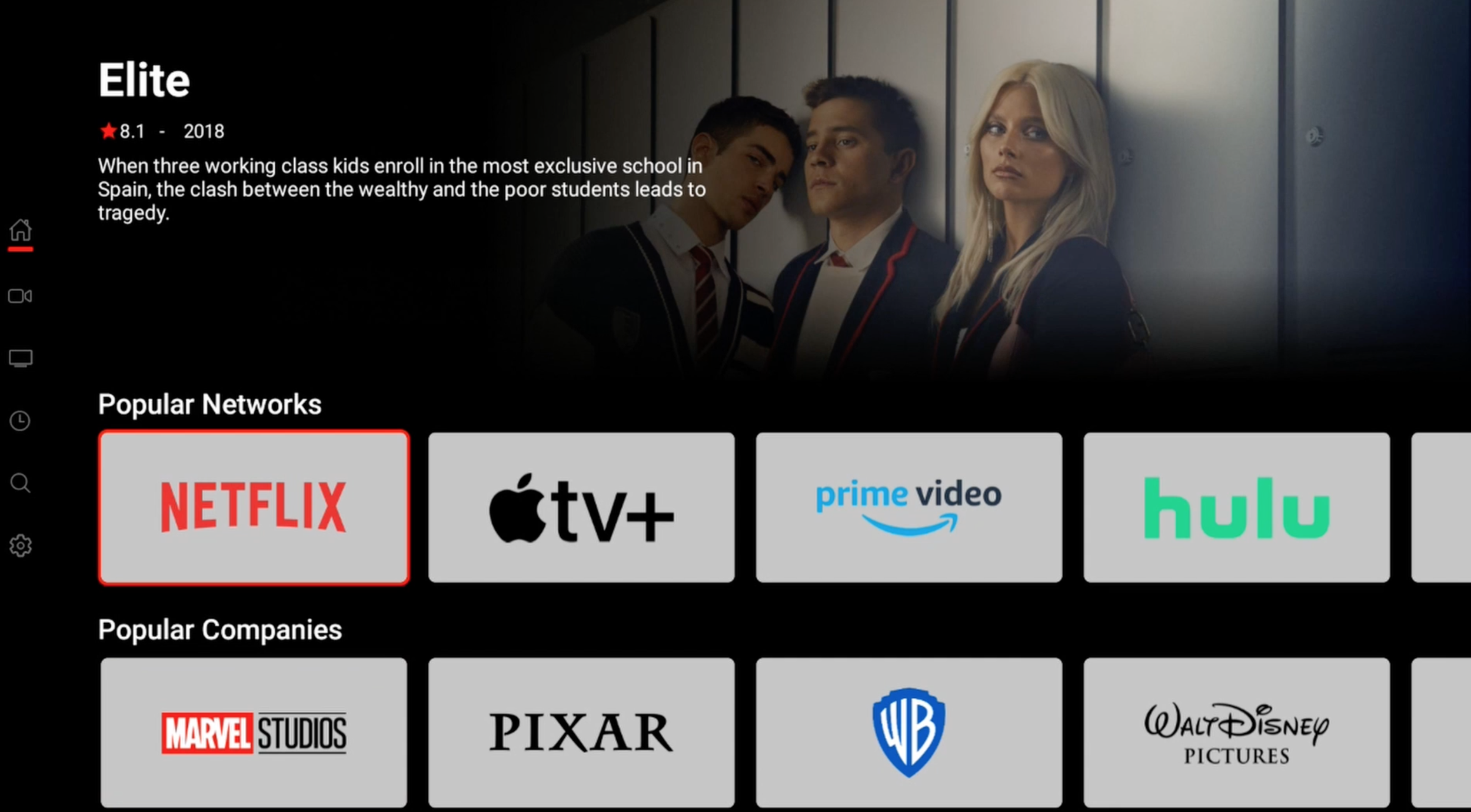
Wait, what? You can actually add alternative app stores to the Nvidia Shield Pro? Yep. Since we disable the Google Play Store, we’ve swapped it out with the top 3 Android app stores that work perfectly on the Shield.
Some of these I’ve used for years, while others are newer to me but they run smooth. On top of that, you’ll also get access to our basic APK Store that matches what we pre-load onto your device, plus one more we’re still testing.
Here’s the crazy part: nobody’s talking about this yet. Not blogs, not YouTubers. But after the sideload ban hits in 2026–2027, you can bet everyone will suddenly “discover” it. For now? You’re getting the info first.
And no, I’m not giving away all the exact stores we pre-install, that’s paid info. But here’s what we’re testing and recommend:
Best Google Play Store Alternatives for Nvidia Shield Pro (And Android TV)
Some of the best Android app stores have been buried for years. It’s time to dig them back up:
Aptoide TV → popular streaming options.
Aurora Store → open-source Play Store client.
F-Droid → trusted open-source apps.
Pure APK → safe Play Store mirrors.
Uptodown → massive catalog.
Shelf → currently testing.
For APK stores, it works a little differently. Here are the main three (watch out — fake stores exist):
Unlinked
FileSynced
AppLinked
Why even bother with something outside Google Play? Freedom.
Most people forget their Gmail login when trying to sign in on an Android TV or a Shield Pro. Or worse, Google blocks the app you want. Remember — this is your streaming device, bought with your hard-earned money. You shouldn’t need Google’s permission to install an app.
These alternative stores give you options. You can test apps for yourself, explore beyond the limits of the Play Store, and if something misbehaves? Easy fix:
👉 Settings → Apps → Show all apps → [The App] → Clear data → Force stop → Uninstall.
Problem solved. Just don’t leave leftover data sitting around.
Shop Now > Discord >
Why Rooting Isn’t the Best Option
Who here actually knows what rooting is? Yeah, not many. Next question, who here knows where to even find working software to root a Nvidia Shield Pro in 2025? Exactly. The truth is, rooting has fallen off. The tools aren’t being updated, and half the time the guides you’ll find online are outdated or straight-up broken.
And here’s the kicker: once you root, there’s no guarantee you can ever fully “unroot” your Shield. Flashing the system doesn’t always undo it. You could be stuck.
So what’s the difference between Rooting vs. ADB Debugging on the Nvidia Shield Pro? Let’s break it down.
Root vs. ADB Debugging: Which Gives You Real Freedom?
With the Nvidia Shield Pro, rooting sounds powerful but it’s a headache waiting to happen. If you root the Shield TV Pro (2019), you’ll break things you actually want, like Dolby Vision and AI Upscaling. And those are two of the main reasons people buy the Shield in the first place! Rooting can also cause crashes, instability, and worst case, you brick your device.
People used to root mostly so they could sideload APKs. But in 2025? You don’t need root for that anymore. That’s where ADB Debugging comes in.
ADB (Android Debug Bridge) is built into Android itself, it’s not some sketchy hack. You just need your computer and Google’s official SDK Platform-Tools. From there, you can use simple commands in your terminal (macOS or Linux) or command prompt (Windows) to disable things like:
Google Play Services
Google Play Protect
The Play Store itself
And here’s the difference: when you disable services with ADB, they actually stay disabled. That’s way more effective than just flipping the little switch in Settings.
For people without a computer, there’s even a workaround: the Remote ADB Shell app, which lets you send commands directly from the Shield.
So here’s the real talk:
Rooting = risky (bricking, losing features, killing stability).
ADB = smarter, safer, and built-in.
At the end of the day, you don’t want a tech lesson that could kill your streaming device, you want something that just works. That’s why we say: let the experts handle it. Order a Jailbroken Nvidia Shield Pro from us and it comes ready out of the box. Just plug it in, click, and play.
Because honestly? Your time is worth more than trying to “DIY root” your $200+ Nvidia Shield Pro.
Shop Now > Discord >
The Bottom Line: Take Control Before Google Does
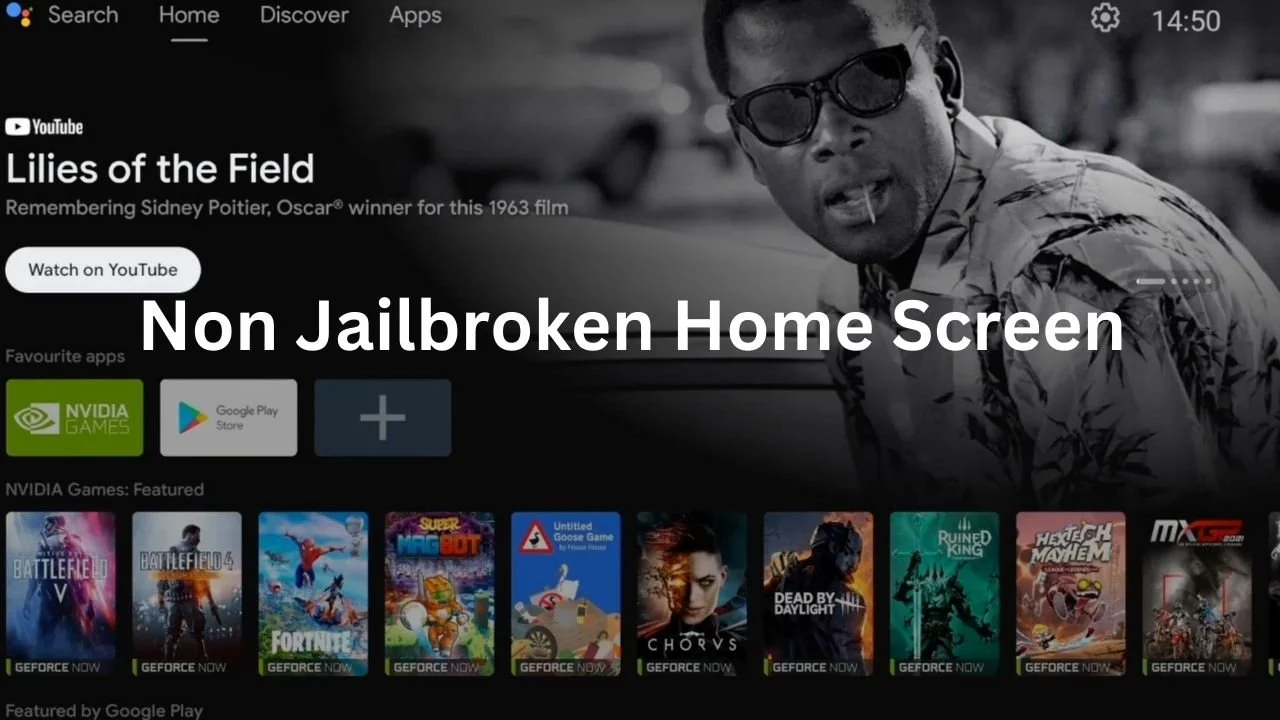
Ads, everywhere. You control nothing.
We get it—this is a lot to take in. But here’s the truth: Google started this, and if you sit back and wait, your sideloading freedom is gone.
Act now, and the 2026 ban won’t touch your Shield. Wait, and you’re at the mercy of Google’s updates.
That’s why a Jailbroken Nvidia Shield Pro from D3vicx is the smart move. Out of the box, you’re already covered against the ban, updates are blocked, and all your must-have apps are preloaded.
And here’s the bonus—no more cable bills, no more juggling subscriptions, no more needing three different services just to watch what you want. One device. Everything you need. Savings that stack for the next 3–5 years (at least).
It’s the perfect option if you’re not “techy” and just want a plug-and-play solution.
👉 Upgrading from a Fire Stick? Don’t miss our blog: “From Fire Stick to Nvidia Shield Upgrade: Why It’s Worth It in 2025.”
Shop Now > Discord >
FAQ: Frequently Asked Questions About the Google Sideload Ban and Nvidia Shield
Q. Will the new Google sideload ban affect the Nvidia Shield Pro?
A. Yes, because it’s a certified Android device. But users who downgrade and disable Google Play Services via ADB debugging will keep sideload freedom.
Q. Can I still install APKs on the Nvidia Shield after the Google ban?
A. By default, installs may be blocked. But with Android 9 v8.2.1 + disabled Google services, you’ll still sideload freely.
Q. Do I need to root my Nvidia Shield to bypass the ban?
A. No. Rooting is risky. ADB debugging gives the same freedom without the danger.
Q. What are the safest Google Play Store alternatives for Nvidia Shield (And Android TV)?
A. Aptoide TV, Aurora Store, F-Droid, Pure APK, and Uptodown are the best App Store alternatives.
Q. Why does disabling Play Services protect against the ban?
A. Because Play Protect and Play Services are the enforcement tools. Once disabled, your Shield no longer checks or blocks APK installs.
Q. Should I upgrade to a Jailbroken Nvidia Shield Pro before the ban starts?
A. Yes — it ensures you’ll bypass the restrictions and stay free even after 2026.
Shop Now > Discord >
In Conclusion: Will the New Google Sideload Ban Affect the Nvidia Shield?
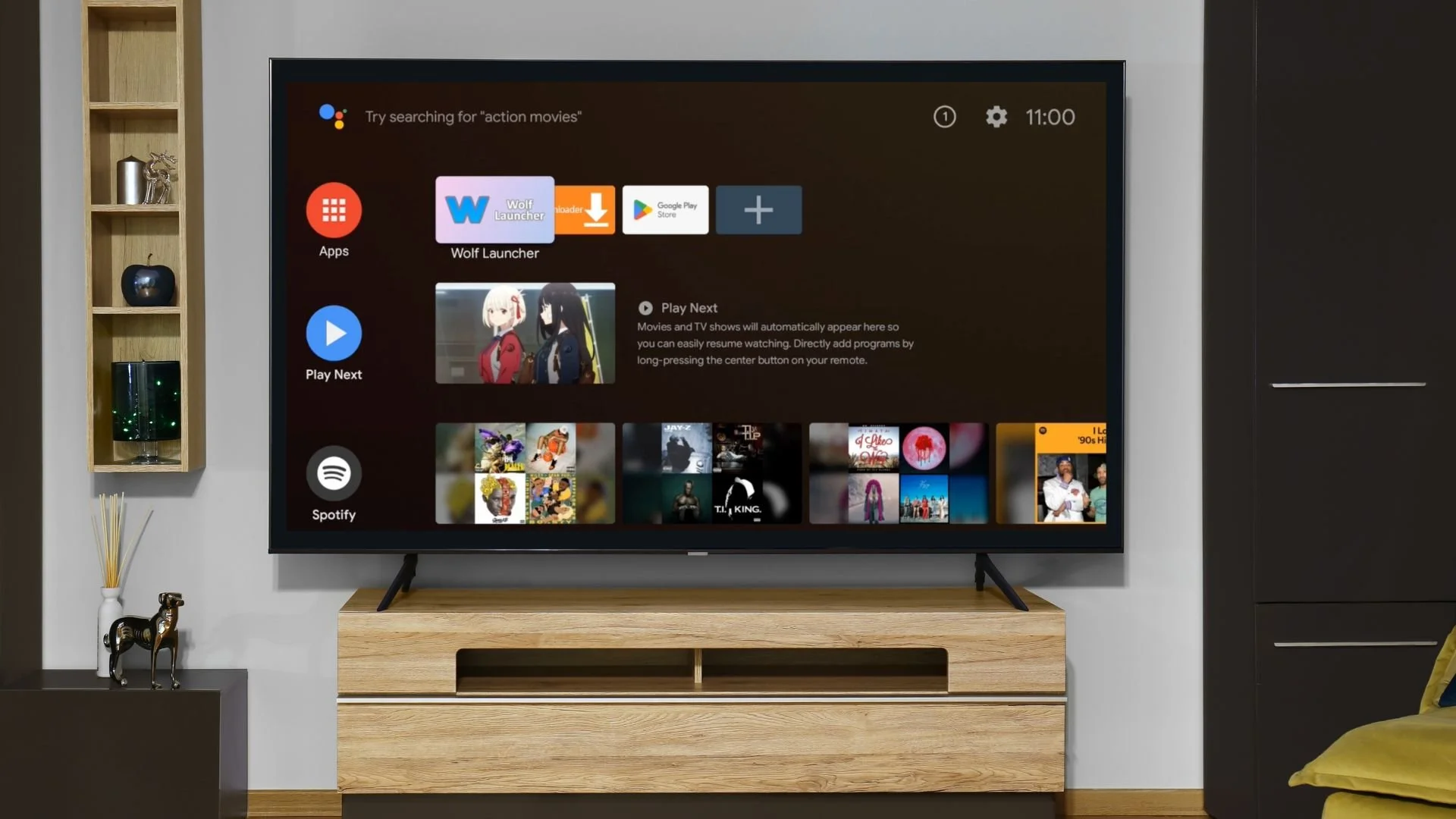
Jailbroken Nvidia Shield Pro no home screen ads
It’s sad to see how far technology has come in just 20 years. Just to see this big billion dollar companies try to back track for a dollar. We’ve already seen the death of the greatest handheld phone ever made, the Blackberry aka The Crackberry.
To now what? Are we about to watch open-source technology die too?
My team and I have been telling you all on blogs over the past 5 years, the Nvidia Shield TV Pro 2019 will be the last greatest streaming device to have ever touch down in the USA. I’m not sure about on earth, (we haven’t tried building our own yet 😏).
Still, the signs are there and the question is, do you want to own your streaming device? Or do you want your streaming device to own you?
Stop wasting your money on Fire Sticks, Amazon already control them. Stop wasting your money on Onn Box Pros, Walmart controls those. Same goes for Rokus, Apple TVs, Google TVs, and any other streaming device where the company can push an update onto the device and you can’t do a damn thing about it.
👉 Break free from the headaches and start saving today. Just order your Jailbroken Nvidia Shield Pro and never see another cable or subscription bill again. Well, for the next 3 to 5 years or beyond.
💡Bonus: we even offer our mini Elite system for phones and tablets. And once you order, don’t forget to join the WAR ROOM for full access and ongoing support.
Shop Now > Discord >
Related Post: Benefits of Owning a Jailbroken Nvidia Shield Pro in 2023